How to Activate nbcsports.com Android TV & On Google TV
Learn how to install, activate, and stream games using nbcsports.com android tv. Easy step-by-step setup guide with TV provider login tips.

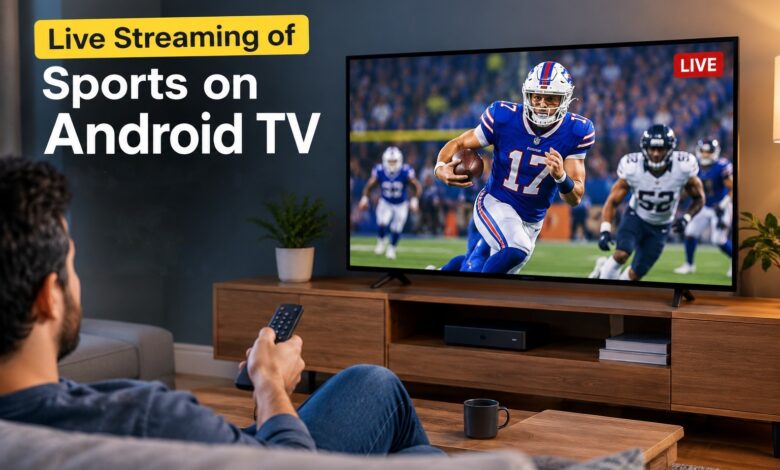
Catching live coverage of Sunday Night NFL games, Premier League matches, Golf tournaments, or NASCAR events directly on your smart TV doesn’t have to be complicated. If you own an Android TV or Google TV streaming device, setting up access takes only a few minutes. To watch live events, you must install the official app and verify your streaming access via nbcsports.com/activate or nbc.com/activate using a supported TV provider. This guide covers the entire installation, activation, and backup streaming setup step-by-step.
Prerequisites & System Requirements
Before starting the setup, ensure your streaming environment meets these basic requirements:
- Compatible Operating System: Android TV OS 5.0 or higher (or any Google TV interface).
- Internet Speed: A minimum stable broadband connection of 5 Mbps for standard HD streaming, or 15–25 Mbps for smooth 4K/HDR live events.
- Participating TV Provider: An active account with a traditional cable/satellite provider (such as Xfinity, Spectrum, DirecTV, or Cox) or a live TV streaming service (such as YouTube TV, Hulu + Live TV, Fubo, or Sling TV).
Step-by-Step Installation: Downloading the NBC Sports App
Installing the NBC Sports application takes under two minutes directly from the official Google Play Store.

- Turn on your television, navigate to your Android TV home screen, and open the Google Play Store.
- Select the search icon (or press the microphone button on your remote) and search for “NBC Sports”.
- Choose the official NBC Sports app from the search results grid.
- Click Install and allow the download to complete.
Note for Google TV Users: The NBC Sports app Google TV setup follows this exact same process. You can search directly from the main Apps tab on your Google TV dashboard.
Activation Process: Generating & Entering the Code
Once downloaded, you must pair your smart TV with your web browser using a unique NBC Sports com activate code.

- Launch the newly installed NBC Sports app from your Android TV app drawer.
- Select Sign In or click on any live event tile to display the activation screen.
- Note down the 7-digit activation code displayed on your TV screen.
- Open a web browser on your smartphone, tablet, or computer and navigate to nbcsports.com/activate (or nbc.com/activate).
- Select Android TV (or Google TV) as your device platform and type in the displayed activation code.
Linking Your TV Provider Credentials
Because the NBC Sports app requires validation through a paid television package, the final step links your provider subscription to your TV device.
- After typing the activation code into your web browser, select your TV Provider (e.g., YouTube TV, Hulu Live, DirecTV, Xfinity, Dish, Spectrum) from the list.
- You will be redirected to your provider’s secure login screen. Sign in using your provider username and password.
- Upon successful login verification, your web browser will display a confirmation screen.
Caption: Enter your activation code at nbcsports.com/activate on your mobile or desktop browser and select your TV provider.
Within a few seconds, your Android TV screen will automatically refresh, unlocking all live streams and full event replays.
(If your activation code expires during this process, read our dedicated guide on Fix NBC Sports Activation Code Not Working or Expiring for quick fixes).
Alternative Workarounds & Backup Methods
If you encounter store regional restrictions or technical glitches while trying to stream nbcsports.com Android TV content, try these reliable backup methods:
1. Sideloading the NBC Sports APK
If the Google Play Store on your older Android TV box or generic streaming box does not display the NBC Sports app, you can manually sideload the application:
- Install the Downloader app from the Google Play Store.
- Download a trusted, verified NBC Sports APK file from a site like APKMirror.
- Install the APK and launch it using an app launcher like Sideload Launcher.
2. Built-in Chromecast
All Android TV and Google TV devices feature built-in Chromecast support.
- Connect your smartphone or tablet to the same Wi-Fi network as your Android TV.
- Open the official NBC Sports app on your mobile device.
- Tap the Cast icon in the top corner of the video player and select your Android TV to project the stream immediately.
3. Streaming via Peacock TV
Remember that NBCUniversal broadcasts several high-profile sporting events exclusively on Peacock TV. If a game is not available on the main NBC Sports app, download the Peacock app on your Google TV/Android TV to access live coverage.
Upcoming Next guide for those who having trouble with playback crashes or black screens? Check out our troubleshooting post on Fix NBC Sports App Black Screen / Buffering on Android TV
Frequently Asked Questions (FAQs)
Why is my NBC Sports activation code not working on Android TV?
Activation codes expire within a few minutes. If the code fails, return to your TV app, select Get New Code, and clear your mobile browser cache before visiting nbcsports.com/activate again.
Can I watch NBC Sports on Google TV without a cable provider?
Yes. You can activate the app using credentials from live-TV streaming services like YouTube TV, Hulu + Live TV, Fubo, or Sling TV without needing a traditional cable subscription.
What should I do if the NBC Sports app crashes or shows a black screen on Android TV?
Go to Settings > Apps > See all apps > NBC Sports on your Android TV device. Click Clear Cache and Force Stop, then relaunch the app. Ensure Android System WebView updates are current in the Google Play Store.