Amazon Credit Card Login: Guide to Sign In, Manage Your Account & Make Payments Fast


if you’ve ever found yourself clicking around Amazon.com trying to find your credit card bill, you’re definitely not alone. It’s one of the most common head-scratchers for cardholders—and for a good reason! While Amazon is where you spend, your actual credit line is managed behind the scenes by major banking partners like Chase Bank and Synchrony Bank. That means if you want to check your balance, download monthly statements, or make an amazon credit card payment, you’ll need to head to your issuing bank’s portal rather than your standard Amazon shopping cart. Whether you’re holding the open-loop Prime Visa issued by Chase or the closed-loop Amazon Store Card issued by Synchrony, this step-by-step amazon credit card login guide will help you sign in quickly, manage your account stress-free, and keep your payments right on schedule.
Before logging in to manage your account, check out our full [Amazon Credit Card Guide] to compare card perks, 5% cash-back rewards, and approval odds.
How to do Chase Amazon Credit Card Login
If you carry the flagship Prime Visa or the standard Amazon Visa, your card is issued by Chase Bank. While reward point balances appear on Amazon during checkout, all financial management takes place through Chase’s banking ecosystem.
Step-by-Step Login Instructions

- Navigate to Chase.com: Open your desktop browser and go to
chase.com(or use the sign-in widget on Chase’s main page). - Enter Credentials: Input your registered Chase User ID and Password.
- Select Your Card: Once logged in, click on your chase amazon credit card dashboard to view your current balance, recent activity, and PDF statements.
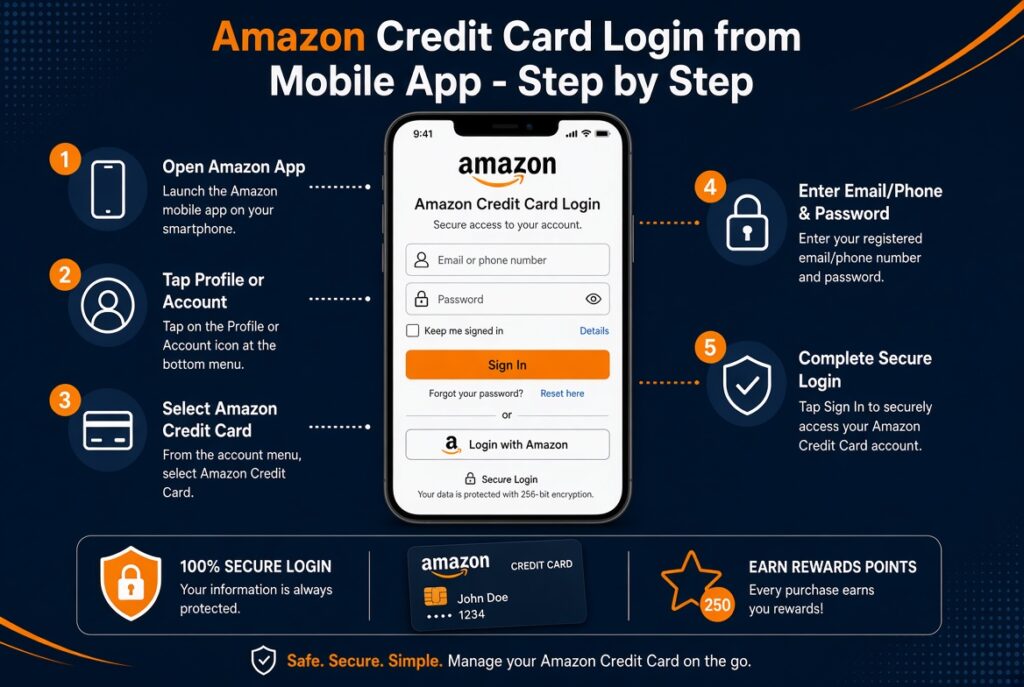
Mobile App Sign-In
Download the official Chase Mobile app (available on iOS and Android). Log in using your Chase online banking credentials or set up biometric identification (Face ID or Fingerprint login) for faster access on the go.
Troubleshooting Login Issues
- Forgotten User ID/Password: Click the “Forgot username/password?” link on the Chase login box. You will need your Social Security Number (SSN) and your full card number to reset your password.
- Locked Account: If you enter an incorrect password multiple times, Chase will lock online access. Call Chase customer support directly at 1-888-247-4080 to verify your identity and unlock your profile.
How to Access Your Amazon Store Card Login (Synchrony Bank)
The Amazon Store Card and Amazon Prime Store Card are closed-loop cards issued by Synchrony Bank. These cards do not use the Chase portal.

Step-by-Step Login Instructions
- Go to the Synchrony Portal: Open your web browser and visit
amazon.syf.com(Synchrony’s dedicated Amazon e-servicing site). - Input Account Details: Enter your Synchrony User ID and Password.
- Manage Account: Access your statement history, view promotional 0% APR financing balances, and check your remaining credit line.
Note: If you have linked your Synchrony account to your Amazon wallet, you can also access a direct redirect link under the Your Payments section inside your Amazon.com user settings.
How to Make an Amazon Credit Card Payment
Keeping up with monthly bill payments ensures you maintain a clean credit history and avoid high APR interest charges. Here are the three main methods to execute an amazon credit card payment:
Method 1: Online via Issuer Portals (Chase & Synchrony)
The fastest and safest payment method is through online banking via ACH transfer from a linked checking or savings account:
- For Chase Amazon Cards: Log in to Chase.com, select “Pay Card”, choose your payment amount (Minimum Due, Statement Balance, or Custom Amount), select your bank account, and set the payment date. You can also toggle Autopay on to schedule automated monthly payments.
- For Synchrony Store Cards: Log in at
amazon.syf.com, navigate to “Make a Payment”, and link a valid checking account routing and account number.
Method 2: Directly During Amazon Checkout
While you cannot pay off your full credit card balance on Amazon.com using a debit card, you can apply accrued cash-back rewards directly toward your cart total at checkout. For Synchrony Store Card holders, Amazon also allows applying gift card balances or direct promotional redemptions toward purchase balances during account checkout.
Method 3: Payment by Phone or Mail
If you prefer traditional or automated payment methods, both issuers support phone and mail processing:
- Chase Amazon Credit Card (Phone & Mail):
- Phone: Call 1-888-247-4080 and follow the automated prompts to pay using your bank routing and account number.
- Mail: Send a check or money order payable to Chase Card Services using the address listed on your monthly paper statement.
- Synchrony Amazon Store Card (Phone & Mail):
- Phone: Call Synchrony Bank at 1-866-634-8379 to submit an automated phone payment.
- Mail: Send a check payable to Synchrony / Amazon to:
Synchrony Bank, P.O. Box 960013, Orlando, FL 32896
Feature Comparison Matrix: Chase vs. Synchrony Portals
| Feature / Criteria | Chase Amazon Credit Cards | Synchrony Amazon Store Card |
| Cards Included | Prime Visa, Amazon Visa | Amazon Store Card, Amazon Prime Store Card |
| Login Portal URL | chase.com |
amazon.syf.com |
| Mobile App Support | Chase Mobile App (iOS & Android) | Synchrony Bank App (iOS & Android) |
| Primary Rewards Tier | 5% Back at Amazon & Whole Foods | 5% Back or 0% APR Equal Monthly Payments |
| Everyday Category Cashback | 2% on Gas, Dining, Transit | None (Amazon Ecosystem Only) |
| Payment Options | ACH Online, Autopay, Phone, Mail, Chase Branch | ACH Online, Autopay, Phone, Mail |
| Customer Support Hotline | 1-888-247-4080 | 1-866-634-8379 |
Best Security Practices for Online Amazon Credit Card Payment
When logging in to financial accounts, protect your sensitive personal and financial data by following these banking security measures:
- Enable Multi-Factor Authentication (MFA): Turn on 2-Factor Authentication (2FA) inside both Chase and Synchrony portals. This requires a one-time passcode (sent via SMS or authenticator app) whenever logging in from a new device.
- Avoid Phishing Scams: Never click login links embedded in unsolicited emails or SMS text messages claiming your card is suspended. Always navigate directly to
chase.comoramazon.syf.comin your browser. - Use Official Mobile Banking Apps: Avoid accessing financial accounts on public, unencrypted Wi-Fi networks unless connected to a trusted VPN. Use the official iOS or Android banking app with biometric verification enabled.
- Monitor Account Alerts: Set up real-time text or push alerts for any transaction over a specific dollar amount (e.g., $1.00) to catch unauthorized charges instantly.